Best AI Tools for Short-Form Video Creators in 2026
- Category
- AI Video Tools
- Published
- April 11, 2026
- Reading Time
- 11 min
- Core Topic
- Best AI tools for short-form video creators — compare top picks for Reels, TikTok, and Shorts by workflow, speed, and value. Built for real creator needs.
Best AI Tools for Short-Form Video Creators in 2026
Best AI Tools for Short-Form Video Creators in 2026
Why Short-Form Creators Are Leaning on AI More Than Ever
Let’s be blunt: posting daily across Reels, TikTok, and YouTube Shorts is a grind. Every video demands a hook, a script, editing, captions, music selection, and platform-specific formatting — and the algorithm rewards consistency above almost everything else. For a solo creator or a small team, that workload compounds fast. One 30-second video can eat 90 minutes when you factor in ideation, recording, post-production, and export.
This is why AI tools have shifted from “nice-to-have experiments” to core workflow infrastructure for short-form creators in 2026. The technology has matured past gimmicky outputs. Today’s tools generate usable scripts, produce studio-grade avatar videos, add trending caption styles automatically, and cut editing time by 60-80%.
But here’s the real challenge: the market is flooded. There are hundreds of AI video tools competing for attention, and most of them are optimized for long-form, horizontal, or corporate content. Short-form creators need something different — tools built for vertical-first formats, speed, and the rapid iteration cycle that platforms demand.
This guide cuts through the noise. We evaluated the top tools specifically through a short-form lens, testing them against real creator workflows. If you want to explore the broader landscape, our full AI tools collection covers every category. But if you’re here to ship more Reels, TikToks, and Shorts faster, keep reading.

What Makes a Good AI Tool for Reels, TikTok, and Shorts
Not all AI video tools are created equal — and the features that matter for a 10-minute YouTube video are different from what you need for a 30-second Reel. Here are the criteria we used to evaluate every tool in this roundup:
- Speed of output — Can you go from idea to export-ready video in under 10 minutes? For short-form, turnaround time is everything. A tool that requires 30 minutes of manual tweaking defeats the purpose.
- Native vertical format support — The tool must produce 9:16 video natively, not as an afterthought crop from horizontal footage.
- Hook-first scripting — AI scripting features should understand short-form structure: hook in the first 2 seconds, value delivery in the middle, call-to-action at the end.
- Auto-captions with trending styles — Burnt-in captions are essential for accessibility and engagement. Bonus points for animated, word-by-word highlight styles that currently dominate on TikTok and Reels.
- Avatar and talking-head quality — For creators who don’t want to be on camera, avatar realism matters. Lip-sync accuracy, natural gestures, and diverse avatar options are non-negotiable.
- Multi-platform repurposing — The best tools let you adapt one video into multiple aspect ratios, durations, and caption formats for Reels, TikTok, and Shorts without re-editing from scratch.
These six criteria shaped every recommendation below.
Best AI Tools for Short-Form Video Creators in 2026
Best for All-in-One Editing: CapCut AI
CapCut remains the default editing app for millions of short-form creators, and its AI features in 2026 have turned it into something far more powerful than a basic editor. The auto-caption generator supports animated keyword highlighting that matches TikTok trends. Script-to-video lets you paste a concept and get a rough cut with stock footage, transitions, and text overlays. Background removal, AI upscaling, and one-tap vertical reformatting are all built in.
Where CapCut AI shines is accessibility. The learning curve is nearly flat, and the free tier is genuinely generous. For creators who already edit in CapCut, the AI layer simply accelerates what they’re doing without forcing a new workflow.
Best for: Beginners and daily posters who need speed without complexity. Pricing: Free tier available; Pro starts at [VERIFY] $9.99/month.
Best for Avatar Videos at Scale: HeyGen
HeyGen has become the go-to for creators who want talking-head content without filming themselves. In 2026, the avatar quality is remarkably close to real footage — natural blink patterns, subtle head movements, and accurate lip sync across 40+ languages. You type a script, choose an avatar, and get a finished video in minutes.
For short-form specifically, HeyGen’s strength is batch production. You can generate 10 variations of a script with different hooks or CTAs and test them across platforms. The vertical format templates are purpose-built for Reels and TikTok. For a deeper analysis of its capabilities, read our full HeyGen Review 2026.
Best for: Course sellers, personal brands, and anyone avoiding on-camera fatigue. Pricing: Free trial available; Creator plan starts at [VERIFY] $29/month.
Best for Prompt-to-Video Speed: InVideo AI
InVideo AI takes a single text prompt and generates a complete short-form video — script, voiceover, footage, transitions, captions, and music. The output isn’t always perfect, but it’s remarkably close to “publish-ready” for informational and listicle-style content.
The real value here is volume. Creators who need to post 5-7 times per week across platforms can use InVideo AI as a first-draft engine, then spend 5 minutes refining instead of building from scratch. The AI understands short-form pacing and naturally front-loads hooks.
Best for: High-volume creators and content agencies. Pricing: Free tier with watermark; Business plan starts at [VERIFY] $30/month.
Best for Creative Visual Effects: Runway
Runway Gen-3 and its successors are the tool of choice when you need short-form content that looks different. Text-to-video generation, motion brush effects, style transfers, and generative expand let you create visuals that simply don’t exist in stock libraries.
For brand-driven creators, artists, and anyone competing in saturated niches, Runway offers a visual edge. The clips are typically 4-16 seconds — perfectly sized for Reels and TikTok intros or transitions. For a detailed head-to-head with its closest competitor, see our Runway vs Pika Labs comparison.
Best for: Visual storytellers and brand content creators. Pricing: Free tier with limited generations; Standard plan starts at [VERIFY] $15/month.
Best for Stylized Motion Clips: Pika
Pika occupies a unique niche — it excels at turning static images into short animated clips with a stylized, almost cinematic quality. The “modify region” feature lets you animate specific parts of an image while keeping the rest static, which is perfect for eye-catching Reels intros.
In 2026, Pika’s text-to-video quality has improved significantly, though it still leans more artistic than photorealistic. For creators in fashion, design, food, or lifestyle niches, the aesthetic fits perfectly.
Best for: Aesthetic-driven creators who want motion graphics without After Effects skills. Pricing: Free tier available; Standard plan starts at [VERIFY] $10/month.
Best for Professional Avatar Presentations: Synthesia
Synthesia targets a slightly different audience than HeyGen — it’s optimized for polished, professional presentations and explainer content. The avatar quality is excellent, and the built-in slide and screen-share templates make it ideal for educators, consultants, and B2B creators who post short-form educational clips.
The trade-off is that Synthesia feels less “native” to casual TikTok content. It’s best suited for creators who repurpose professional content into short-form clips. For the full breakdown, check our Synthesia Review 2026.
Best for: Educators, consultants, and professional service creators. Pricing: Free demo available; Starter plan starts at [VERIFY] $29/month.
Emerging Pick: Veo by Google DeepMind
Google’s Veo model deserves a mention as the emerging contender. Available through select Google tools, Veo generates high-fidelity video clips from text and image prompts with impressive temporal coherence. It’s not yet a full production tool, but for creators who want cutting-edge AI-generated footage to splice into their edits, it’s worth monitoring closely. [VERIFY] Availability and pricing remain limited as of early 2026.
Side-by-Side Comparison: Top AI Tools for Short-Form Video
| Tool | Best For | Vertical Video | Auto Captions | Avatar Support | Free Plan | Starting Price |
|---|---|---|---|---|---|---|
| CapCut AI | All-in-one editing | ✅ Native | ✅ Trending styles | ❌ | ✅ Generous | [VERIFY] $9.99/mo |
| HeyGen | Avatar videos at scale | ✅ Templates | ✅ Built-in | ✅ Excellent | ✅ Limited | [VERIFY] $29/mo |
| InVideo AI | Prompt-to-video speed | ✅ Native | ✅ Auto-generated | ❌ | ✅ Watermarked | [VERIFY] $30/mo |
| Runway | Creative visual effects | ⚠️ Manual setup | ❌ | ❌ | ✅ Limited | [VERIFY] $15/mo |
| Pika | Stylized motion clips | ⚠️ Manual setup | ❌ | ❌ | ✅ Limited | [VERIFY] $10/mo |
| Synthesia | Professional avatars | ✅ Templates | ✅ Built-in | ✅ Professional | ✅ Demo only | [VERIFY] $29/mo |
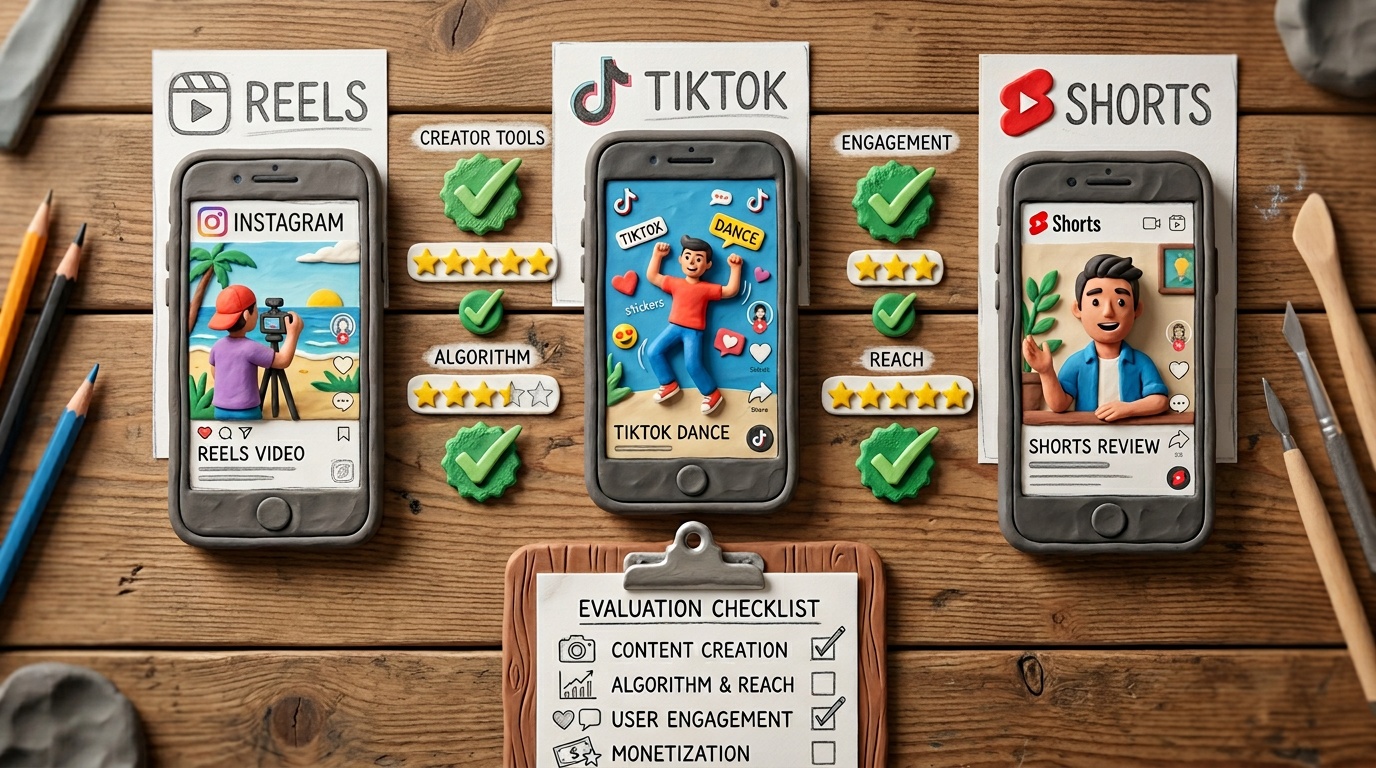
No single tool dominates across every column. CapCut AI offers the broadest feature set for the lowest barrier to entry, but it lacks avatars. HeyGen and Synthesia lead on avatar quality but don’t function as full editors. Runway and Pika deliver creative firepower but require a separate editing tool for final assembly. The right choice depends on which column matters most to your content style.
Which AI Tool Is Best for Your Workflow?
Match your primary need to the right starting point:
- If you post daily and need raw speed: Start with InVideo AI for first drafts and CapCut AI for quick edits. This combination covers scripting through export in under 15 minutes per video.
- If you sell courses, coaching, or services and need a professional talking head: HeyGen for volume and variety, Synthesia for polished, presentation-style clips.
- If you create artistic, brand-driven, or visually distinctive content: Runway for generative effects and Pika for stylized motion. Use them to generate clips, then assemble in your editor of choice.
- If you’re just starting out and want one tool to learn first: CapCut AI — it’s free, it’s intuitive, and it covers 70% of what most creators need.
For ongoing recommendations and tool comparisons across every category, explore what we cover at GoAIReels.com.
Are Paid AI Video Tools Worth It for Short-Form Creators?
Here’s the simple math. Suppose you save 30 minutes per video using AI tools, and you create 5 videos per week. That’s 10 hours saved per month. If your time is worth even $25/hour, that’s $250 in reclaimed time — comfortably justifying a $15-$30/month subscription.
Free tiers are excellent for testing, and we recommend starting there. But most serious creators hit the ceiling within 1-2 weeks: generation limits, watermarks on exports, restricted access to trending caption styles, and lower-resolution output. Watermark removal alone is often the tipping point — a watermarked video signals “amateur” on platforms where first impressions happen in under 2 seconds.
The best approach is pragmatic: test two or three tools on free plans for a week, identify which one integrates most naturally into your existing workflow, then commit to one paid subscription. You can always add a second tool later as your output scales.
Frequently Asked Questions
What is the best free AI tool for making Reels and TikToks? CapCut AI offers the most complete free experience for short-form video creation, including auto-captions, AI editing features, and native vertical export. InVideo AI also has a free tier, though exports include a watermark.
Can AI tools create vertical videos automatically? Yes. CapCut AI, HeyGen, InVideo AI, and Synthesia all support native 9:16 vertical video creation. Runway and Pika generate clips that may require manual aspect ratio adjustments depending on the project.
Which AI tool is best for adding captions to short videos? CapCut AI leads for caption styling, with animated word-by-word highlights that match current TikTok and Reels trends. HeyGen and Synthesia include built-in captions for avatar videos. For a broader look at free options, see our Best Free AI Tools in 2026 roundup.
Do AI-generated videos perform well on TikTok and Instagram? Performance depends on content quality and hooks, not whether AI was involved in production. AI-generated avatar videos, auto-captioned edits, and AI-assisted scripts regularly achieve strong engagement. The key is using AI to enhance your ideas, not replace creative intent.
Final Verdict
No single AI tool does everything perfectly for short-form video. The best choice depends on whether your bottleneck is editing speed, on-camera fatigue, or visual differentiation. For most solo creators, CapCut AI for daily editing plus HeyGen for scalable avatar content covers roughly 90% of short-form needs.
Explore our complete AI tools directory for detailed reviews, and visit the GoAIReels blog for head-to-head comparisons as new tools launch throughout 2026.